The Planning
Inspectorate.
Jun 2022 – Jun 2023
The Planning Inspectorate oversees applications for major UK infrastructure projects, like wind farms and airport expansions.
As Lead UX Designer, I led the end-to-end design process to overhaul their legacy case management system, making it faster, simpler, and ready to scale.

What I delivered.
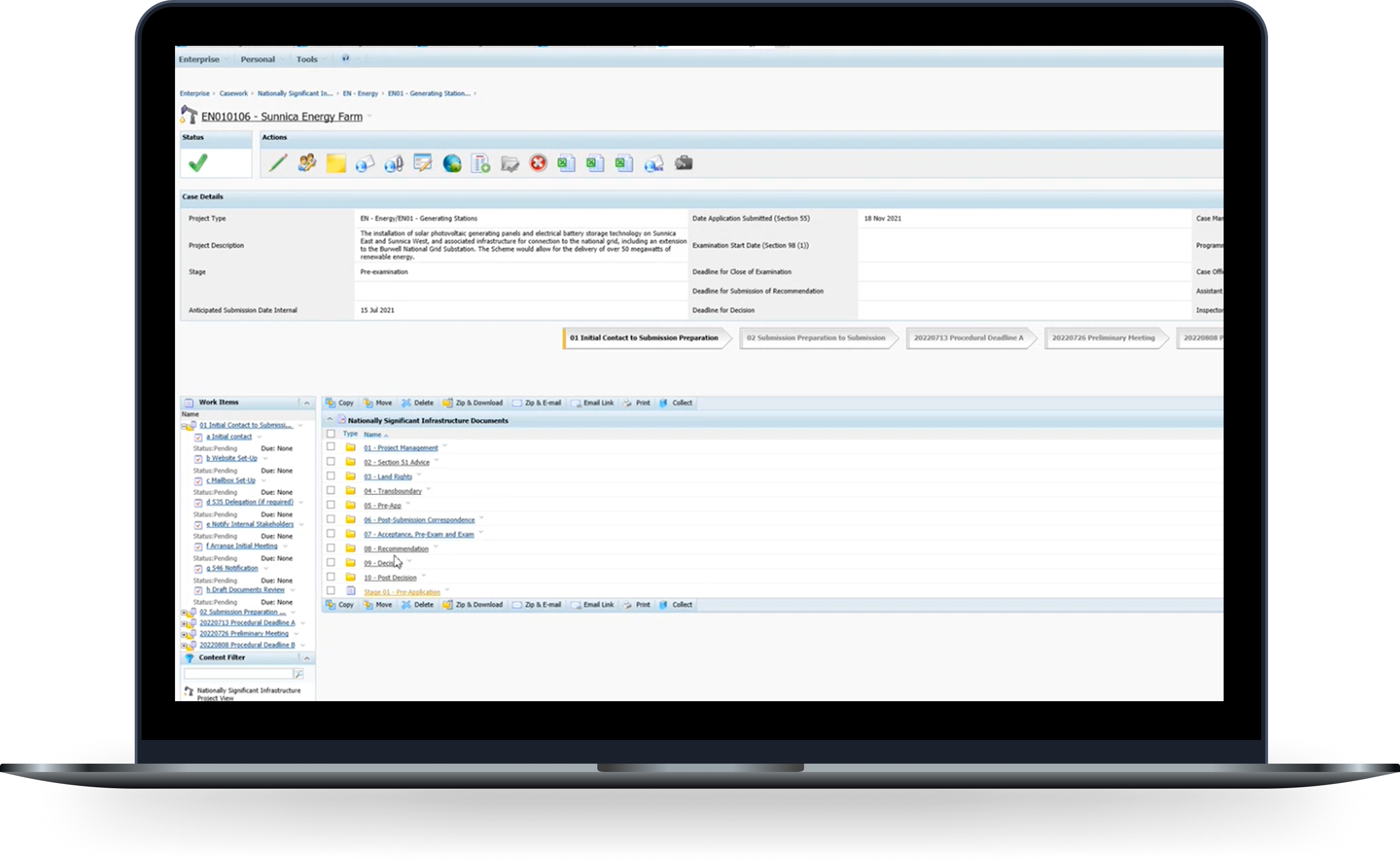
Horizon wasn't fit for purpose.
For 15 years, Horizon handled planning application documentation at millions in cost, with the contract running out. Cases already took years to close; the system made the backlog worse, not better.
Rebuild the system from scratch.
We were brought in to replace Horizon with something built for how case teams work today: move planning applications along faster, cut down on costly publishing mistakes, and give inspectors and admins a system they could actually rely on.
Speed up applications
Cut admin bottlenecks in the planning pipeline
Reduce errors & cost
Fewer publishing mistakes, less rework
Improve the experience
Built for inspectors and case teams day to day
Many roles, sceptical stakeholders.
I had to learn complex planning workflows fast while designing for inspectors, case workers and other users, each with different responsibilities and levels of digital experience. Past failed transformations had left stakeholders wary of another agency-led change.
Interviews, workshops and stakeholder sessions mapped processes, roles and the politics around them.
Too many clicks. Too little visibility.
Tight deadline, complex system. I mapped workflows, prioritised by impact, and bet on Case Admin first—the team hit hardest by document handling.
Buried actions
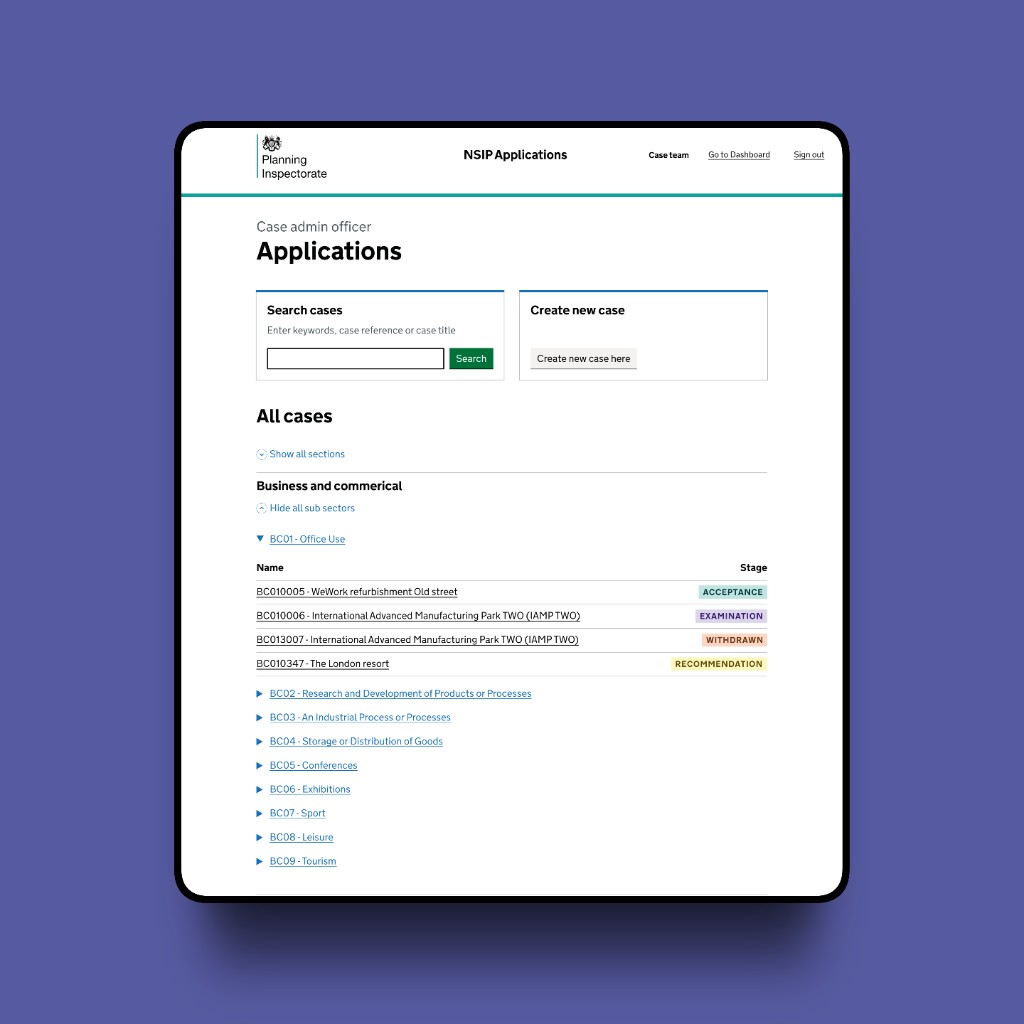
Actions such as editing and publishing were buried behind multiple clicks, with high interaction costs.
Lack of status visibility
Documents had to be manually checked and renamed, with lack of visibility of status before redaction.
Inability to bulk edit
Every task had to be done one file at a time, adding to the workload and timeframe for completing the work.
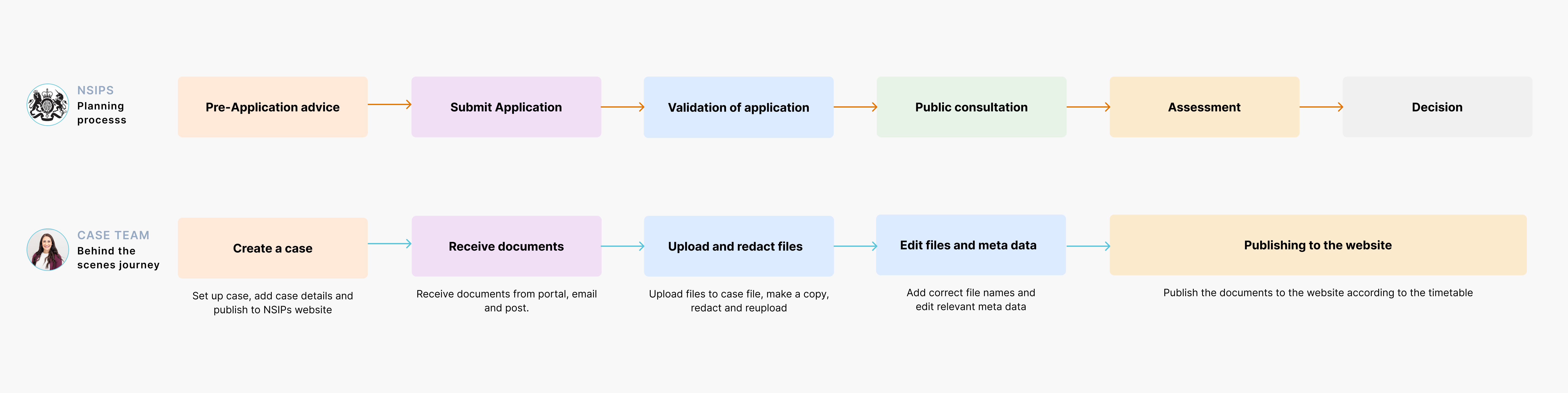
Mapped the flow, cut the steps.
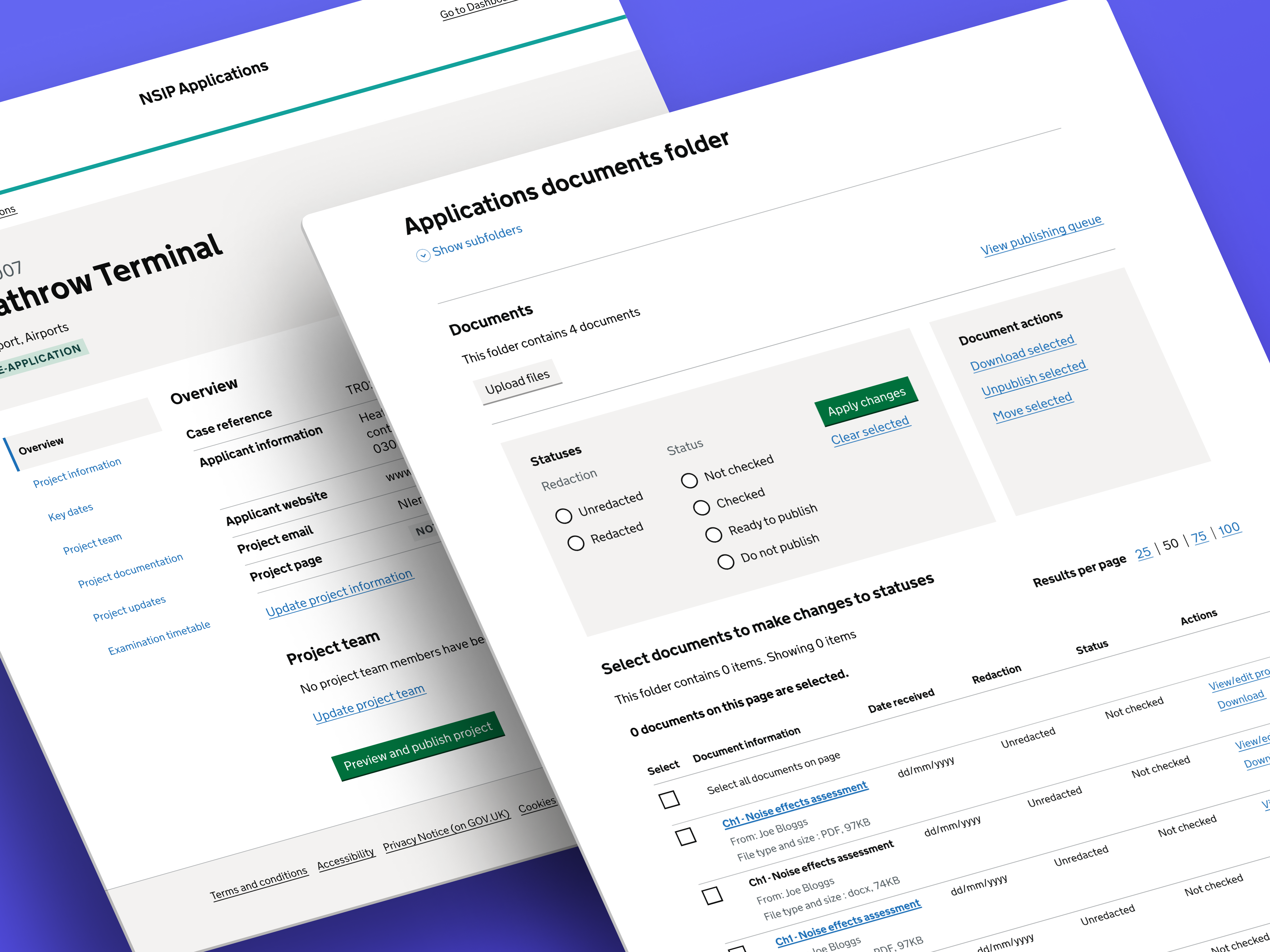
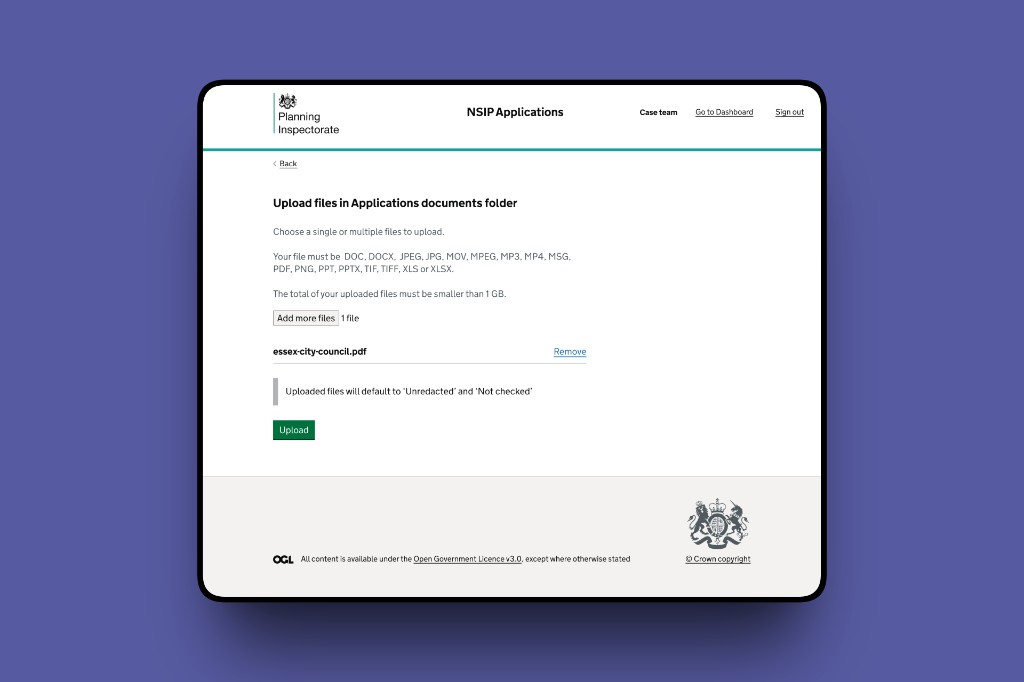
Previously, every file had to be edited and published one by one. In the redesign, I streamlined the flow with bulk editing and publishing, cutting the steps down dramatically.
Legacy Horizon flow versus bulk-first steps in the redesign. The comparison cycles automatically; use Show changes to control it yourself.
Applying standards while meeting user needs.
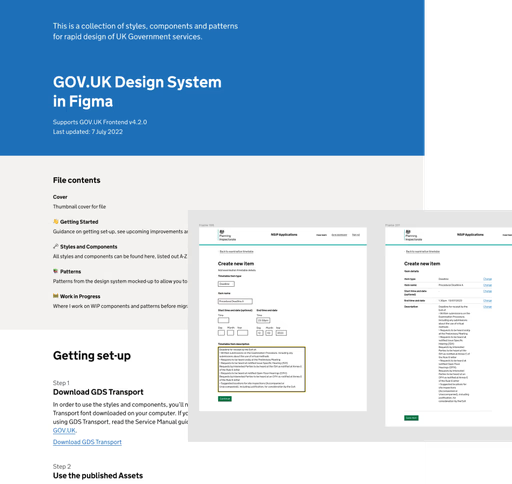
As a GOV.UK service, we built on GDS for accessibility, consistency and familiar patterns for staff.
Case management isn't a linear form journey. I kept GOV.UK patterns where they fit, extended them for complex workflows, and backed every deviation with research.
Sometimes showing more is better, early minimalism gave way to clarity.
Through four rounds of usability testing with case admin teams, I refined the document storage and publishing journey. Early minimalist designs evolved from feedback, with a stronger focus on easy access to core actions.
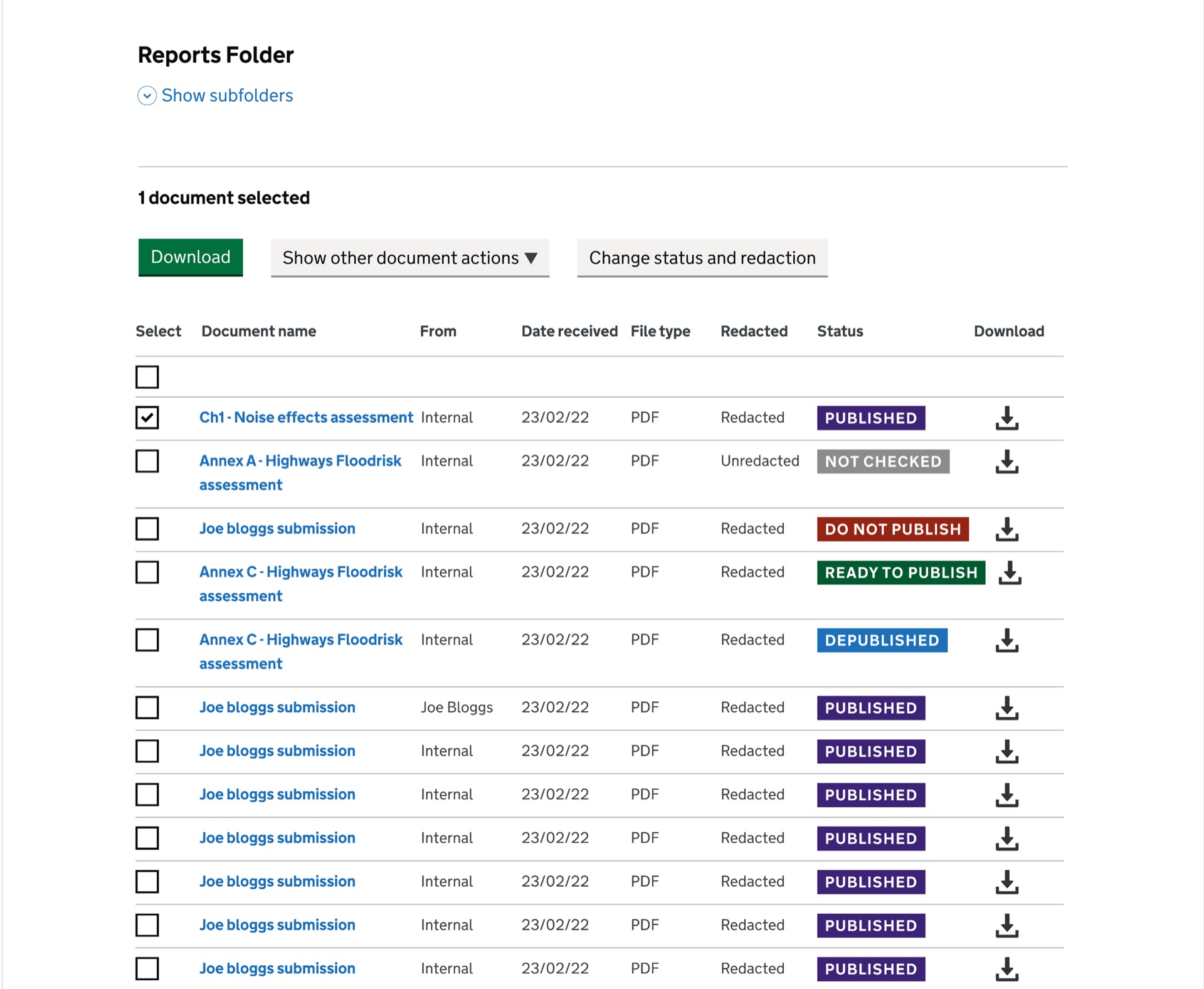
- Download/view CTAs unclear to users
- Colour coding too distracting for common tasks
- Bulk actions buried in a dropdown
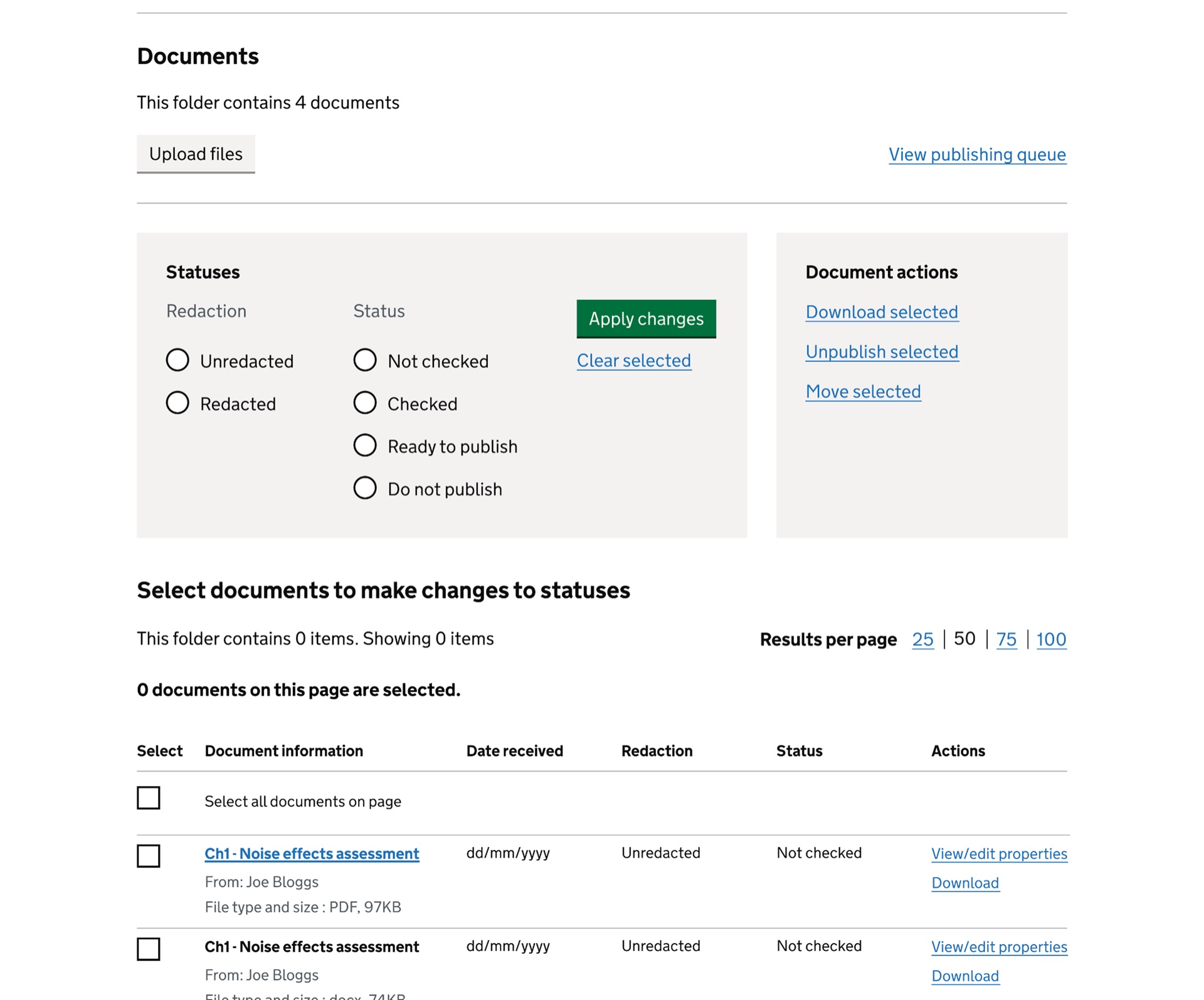
- Neutral statuses - reducing visual noise while maintaining clarity.
- Bulk actions visible - improving task speed and reducing confusion.
- Clearer download/view CTAs with text labels
More control, fewer publishing errors.
Publishing was slow and error-prone. I redesigned the queue with the front-office team so internal tooling matched what went live.
Hover or tap markers for design notes.
Documents currently publishing cannot be edited.
Publish selected documents now, individually or in bulk.
Edit details before publishing.
Remove documents from the queue.
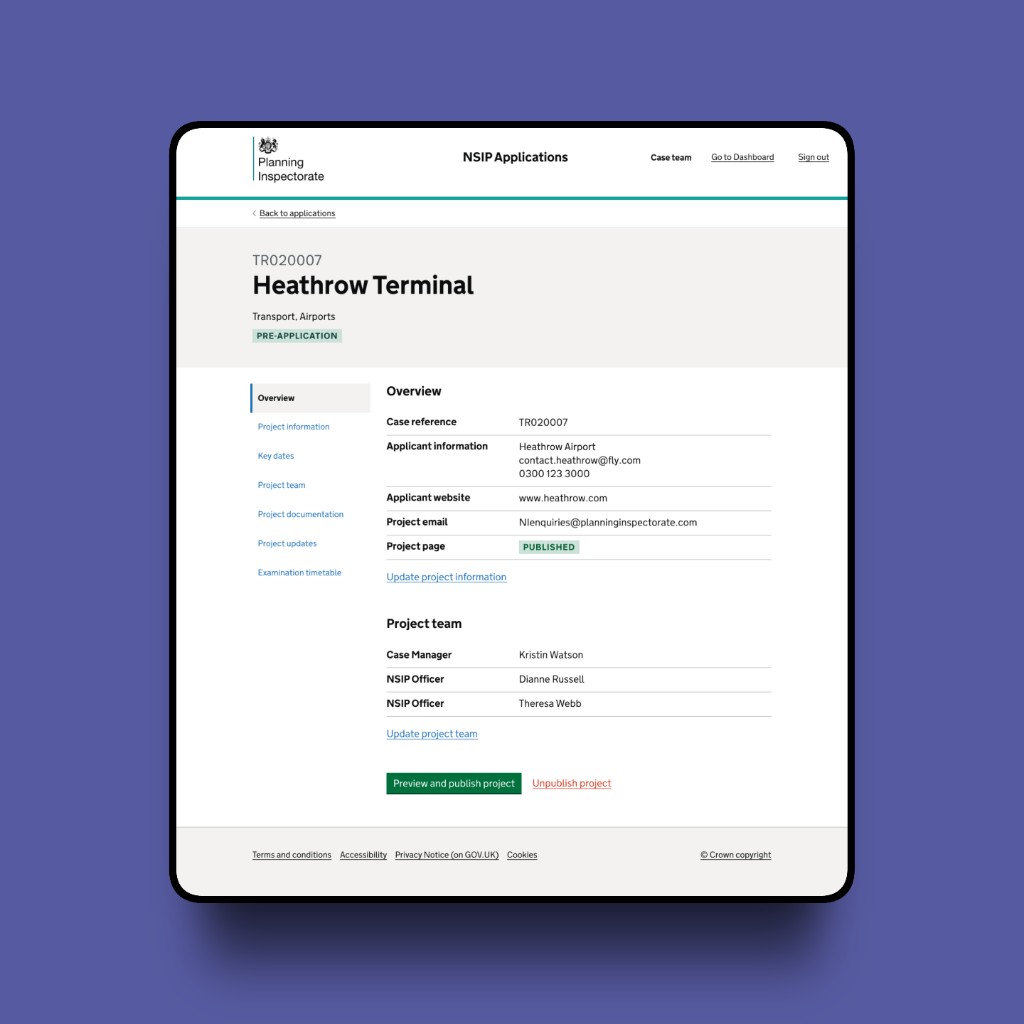
Shipped NSIP Applications screens
From a tiny team to a big team.
Scroll the overview to see 10+ epics shipped across case management, from discovery through to the public Planning Inspectorate website.
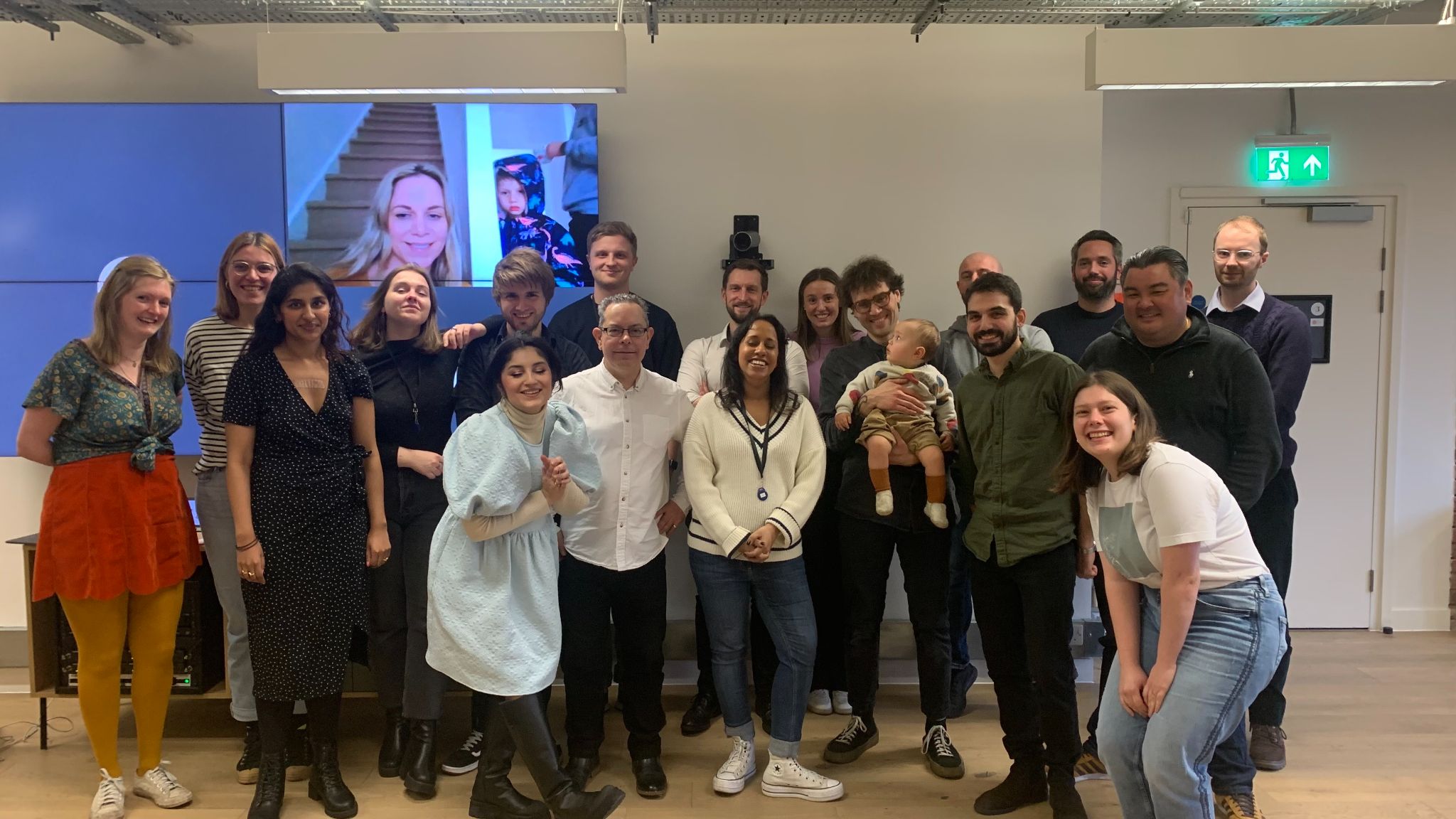
From a small discovery crew to a multi-discipline team shipping the live service. First live case, March 2024, integrated with the new public-facing Planning Inspectorate website.
“We are so looking forward to everything being rolled out, you and the team are the first group of consultants who listen and deliver what we actually want, plus other good things thrown in as well.”
Objectives delivered.
From this journey alone we hit the objectives set at the outset:
Faster publishing
Upload and publish workflows cut from days to minutes.
Higher satisfaction
System Usability Scale score improved after rollout.
Standards-led design
GOV.UK patterns throughout, with bespoke components where research required it.
Built to scale
Accessibility and scalability goals met for a growing caseload.
The publishing work in this case study was one thread in a much larger programme. Those outcomes landed with case teams and stakeholders who had been sceptical after past failed transformations, and by go-live they were championing the rollout.
What I'd carry forward.
Build trust with stakeholders early. Design for scale, document GDS exceptions clearly, and favour clarity when publishing stakes are high.