B2B SaaS  ·  AI Platform

Global Web Index.

GWI is a scale-up providing human data insights, increasingly serving complex enterprise clients such as Meta, Amazon, and Omnicom.

As the business began shifting towards AI-powered SaaS products, I joined to help shape the foundations of a self-serve experience.

During the work priorities evolved, leading to a pivot towards delivering an Agentic Alpha product, which is still in progress.

Category
B2B SaaS
Sector
AI Platform / Data & Insights
Date
2025
Team
1× PM, 4× engineers (backend + frontend), 1× Director of AI, 1× Director of Engineering
Role
User Research Internal Tools Systems thinking AI prototyping Information Architecture Workshop Facilitation
Overview

Impact snapshot

  • Aligned Product, Engineering, and AI leadership on a fragmented system landscape
  • Influenced roadmap to prioritise organisational hierarchy and access foundations
  • Defined a scalable model for self-serve and user management
  • Delivered a working prototype for Alpha MVP
The challenge

Admin isn’t just a tool

Admin isn’t just a tool: it’s the operating system of our business. It controls who can access the platform, what they can see, what they’re paying for, and how we track value.

On the surface everything works, but underneath it only works because we make it work.

It had been built across multiple codebases and hacked together over time, so there was no single, coherent foundation to design against.

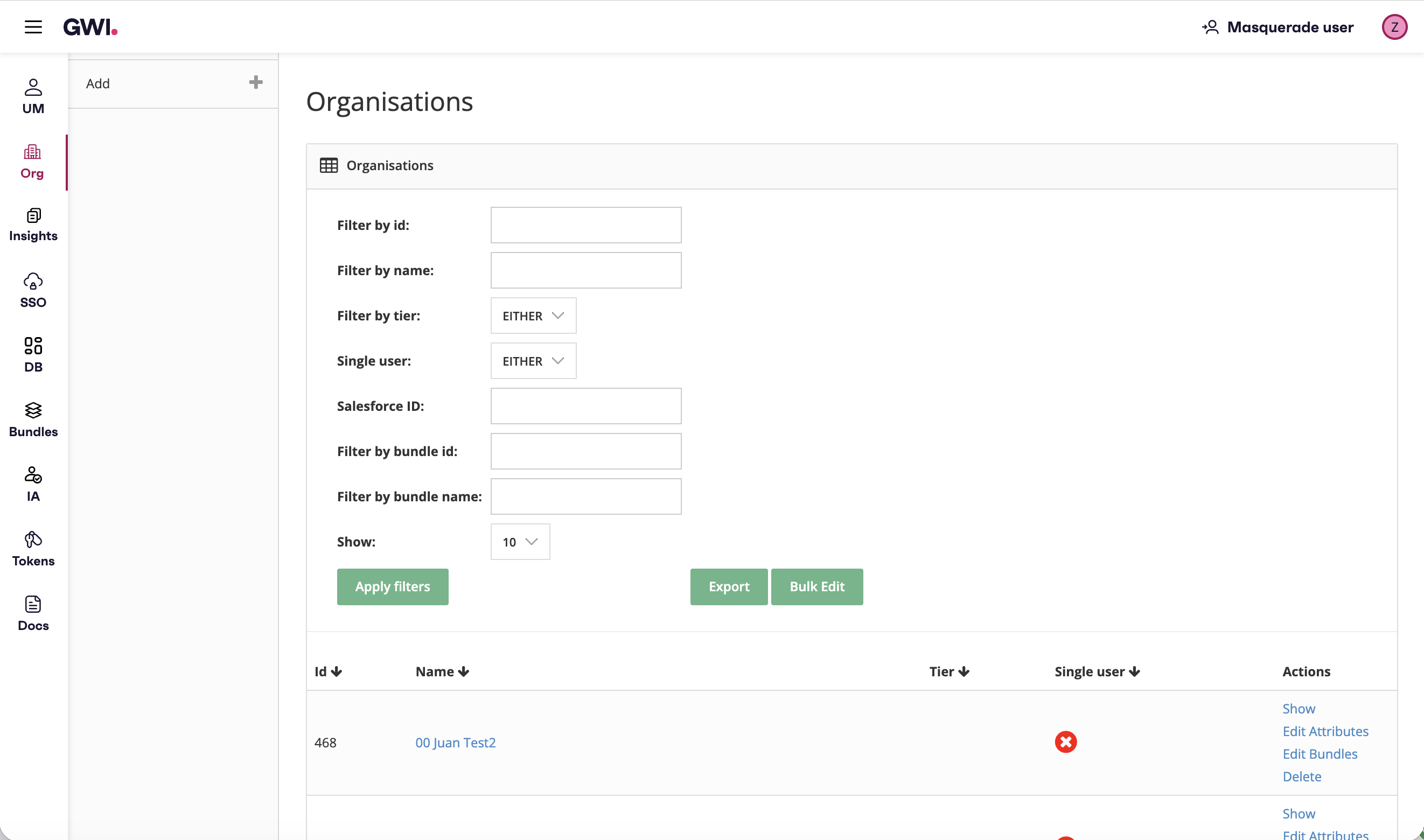
GWI Admin Organisations screen: sidebar navigation, filter panel for id, name, Salesforce ID, bundles, tier, and a table of organisations with row actions.

Current Organisations management in GWI Admin: the operational surface before hierarchy and access foundations were prioritised.

Before designing anything, the priority was to create clarity.

Discovery

Building a shared understanding

This was long overdue discovery: we needed a grounded picture of how users and the business actually operated before we could shape Admin with confidence. I led that work across multiple teams.

Discovery artefacts

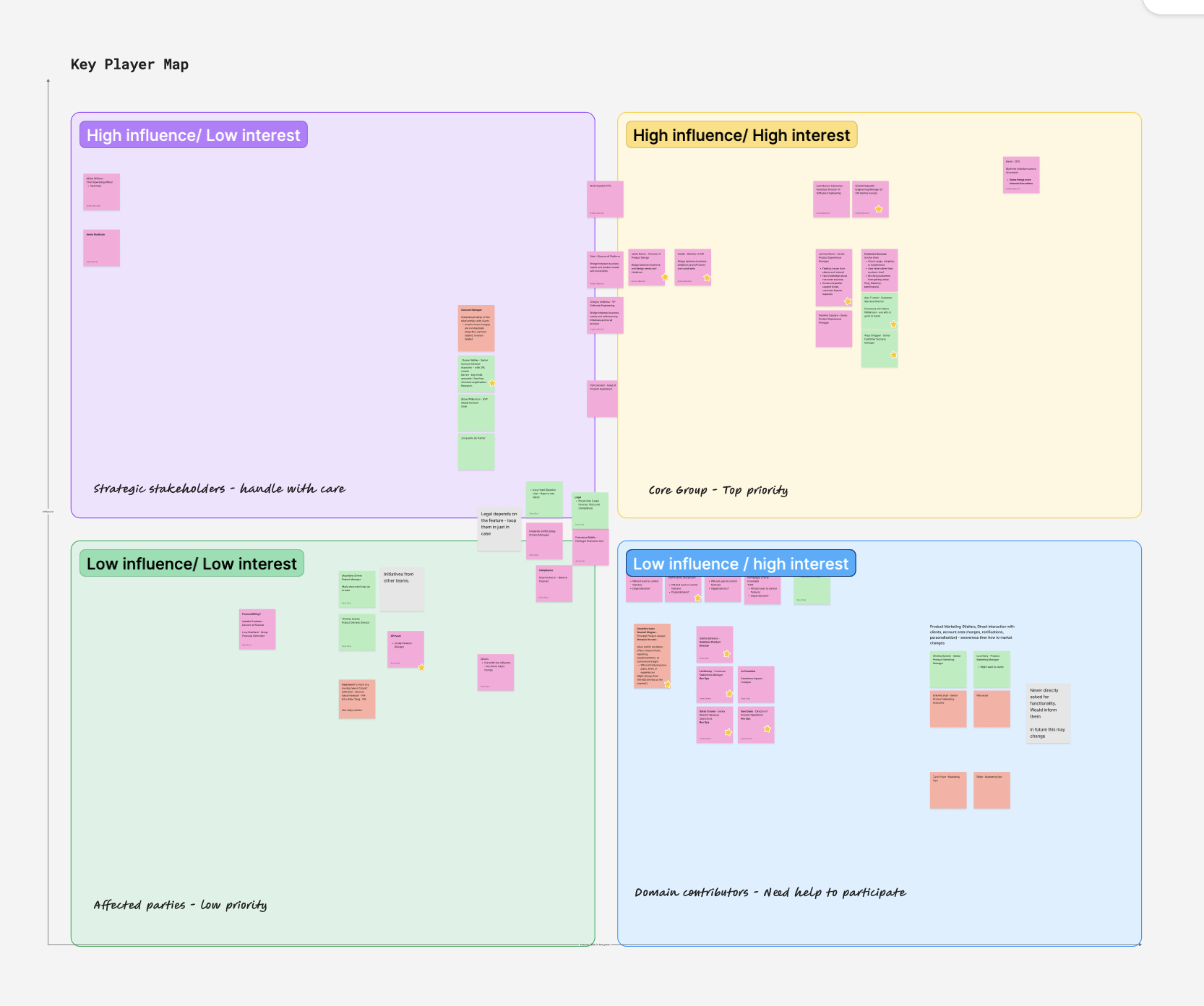
Stakeholder map: key players and ownership across teams.

Stakeholder mapping

Who owned which workflows, who needed to be involved and who needed to be informed.
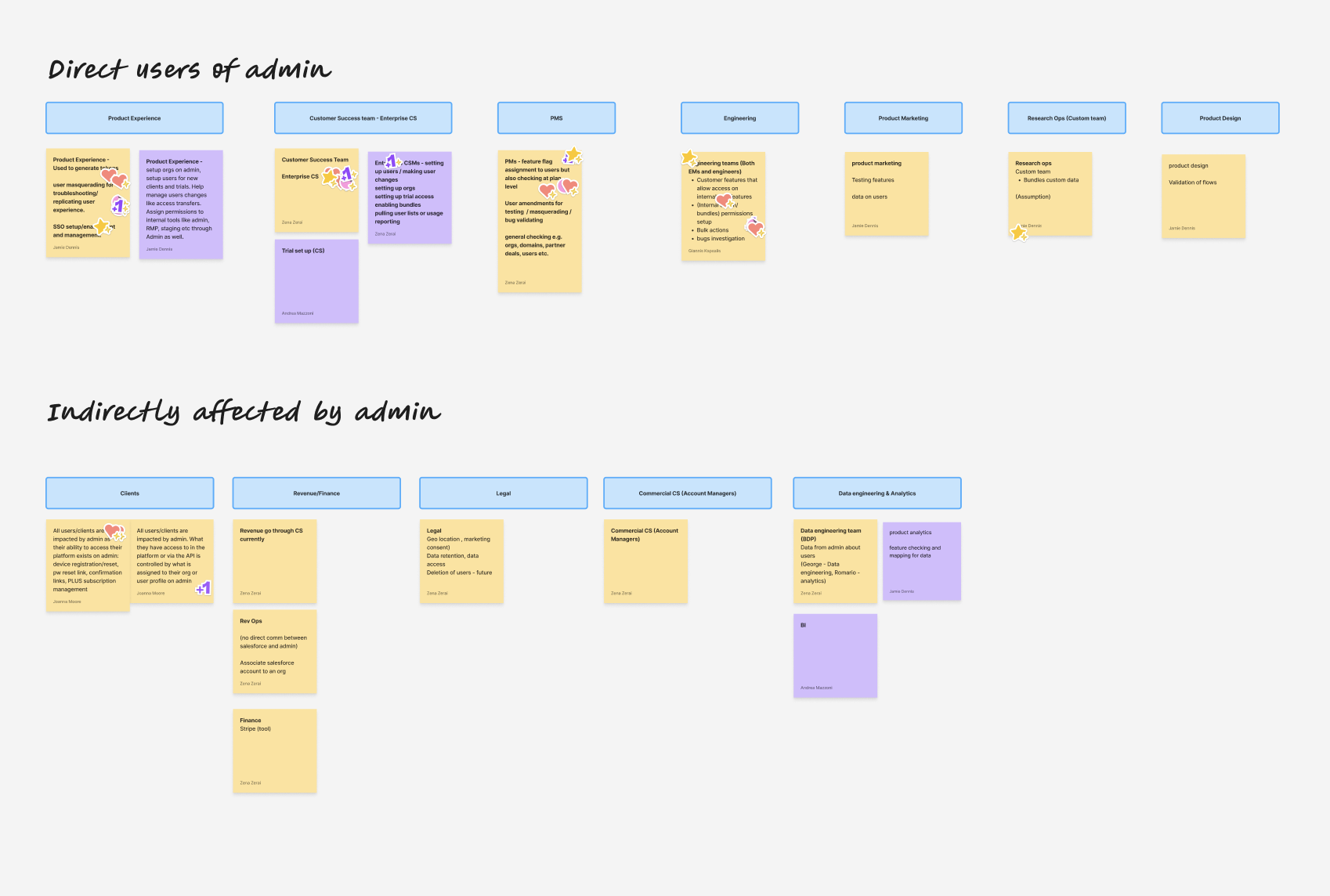
Workshop board mapping direct and indirect users of admin across teams.

Proto-persona workshop

Lightweight profiles to give us direction on information to validate with users.
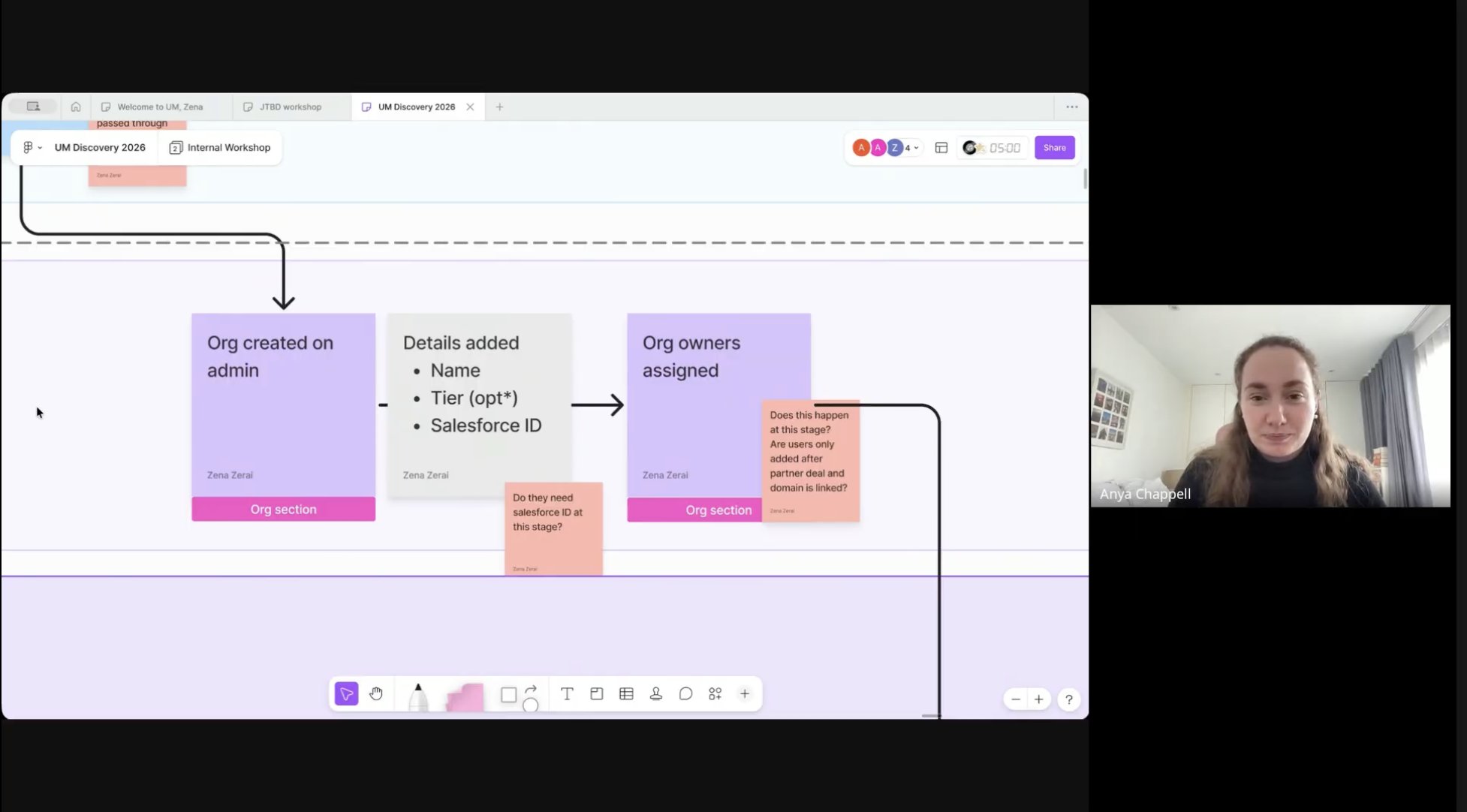
Discovery workshop whiteboard: org setup flow with team collaboration.

Interviews

13 interviews across RevOps, Enterprise CS, Product, Engineering, AI, and Legal.
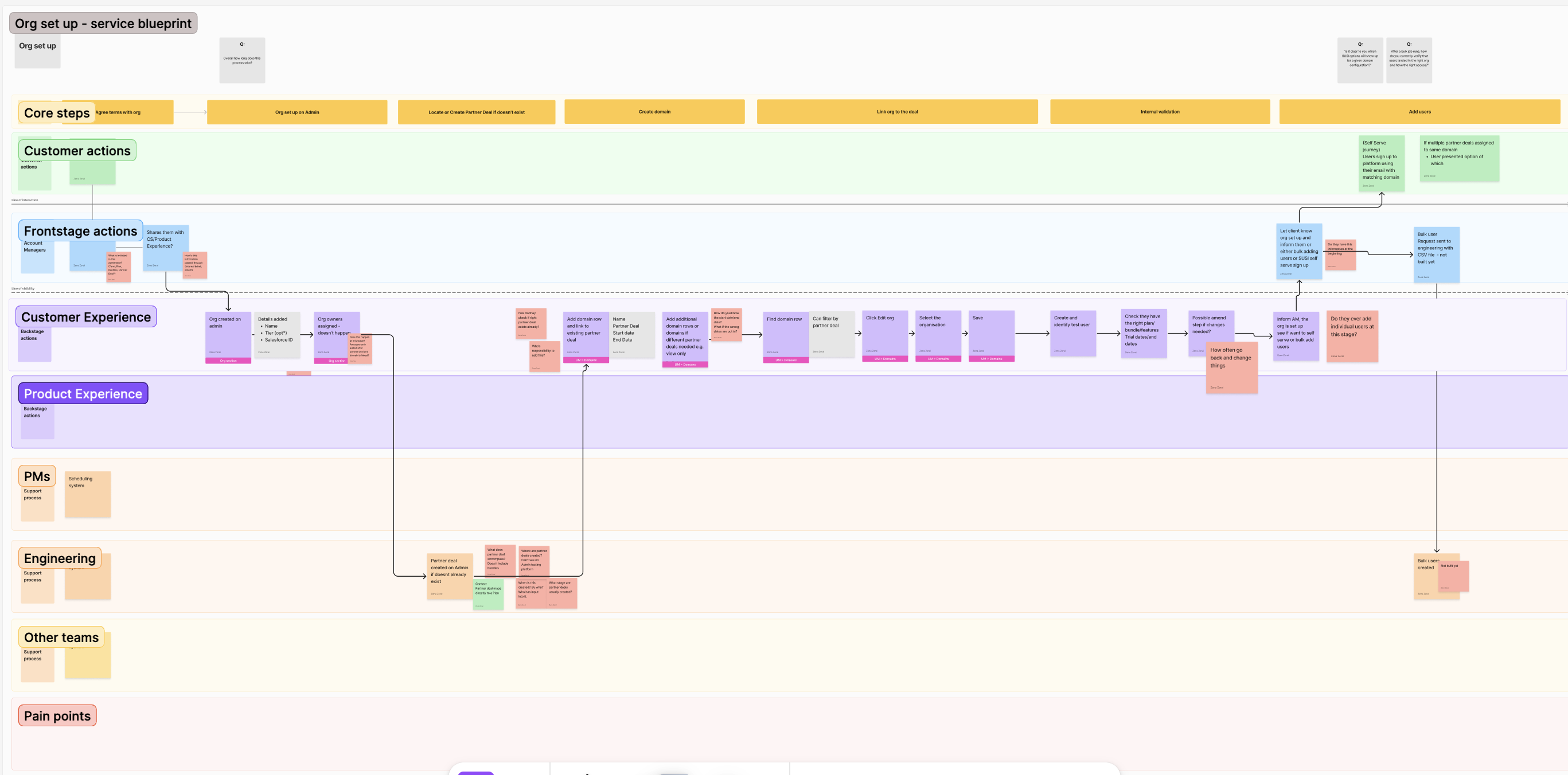
Service map: tools, teams, and handoffs across admin and operations.

Service mapping

How work moved between systems and owners.

User feedback
“A lot of it lives in our heads.”
Product Experience Manager GWI
System

Mapping a fragmented ecosystem

The tool landscape didn’t line up as one system, which set the stage for what discovery surfaced next.

Tools at the corners, spreadsheets holding the gaps in the middle; no integration, only manual handoffs.

Findings

Uncovering gaps across systems, structure, and process

No single source of truth

Systems didn’t connect. Data was spread across Salesforce, Asana, Intercom, admin tools, and analytics platforms. Much of the operational logic lived in spreadsheets.

Not reflective of enterprise reality

Enterprise clients had complex organisational structures and hierarchies, but access was managed through fragmented workarounds, such as duplicating organisations.

Manual and invisible processes

Customer lifecycle and access rules were inconsistent, undocumented, and reliant on human memory, which created risk and inefficiency.

Impact

Operational and commercial consequences

This wasn’t just a UX issue. It had clear operational and commercial impact:

  • Significant manual effort managing users and access
  • High risk of over-provisioning and data exposure
  • Inconsistent customer experience across enterprise clients
  • Misalignment between product capability and enterprise needs
By the numbers

Where the cost showed up in the business.

  1. ~500 Hours spent on admin support in six months
  2. £36m Commercial records where misalignment or invisibility across systems created exposure
  3. 100% Reliance on internal teams for user management changes before self-serve
Framing

Making complexity visible to drive alignment

To align the business, I translated these findings into a clear system narrative. This helped:

  • Make complexity visible
  • Quantify impact
  • Align stakeholders across teams

Outcome: → Influenced roadmap direction, including prioritising organisational hierarchy and access foundations.

Swipe or scroll

Illustration: employee at a multi-screen desk managing GWI Admin, Salesforce, Asana, and incoming messages; framing product experience workload.

The Product Experience story

Framing the workload of employees in a way that is tangible.

Illustration: analyst at three monitors showing a tangled enterprise client org chart across regions, access tracking, and customer-support chats (complexity of large client structures).

Enterprise client story

Highlighting the complexity of our Enterprise clients' structures.

Stakeholder-facing visuals

Foundation

Defining core entities and relationships (OOUX)

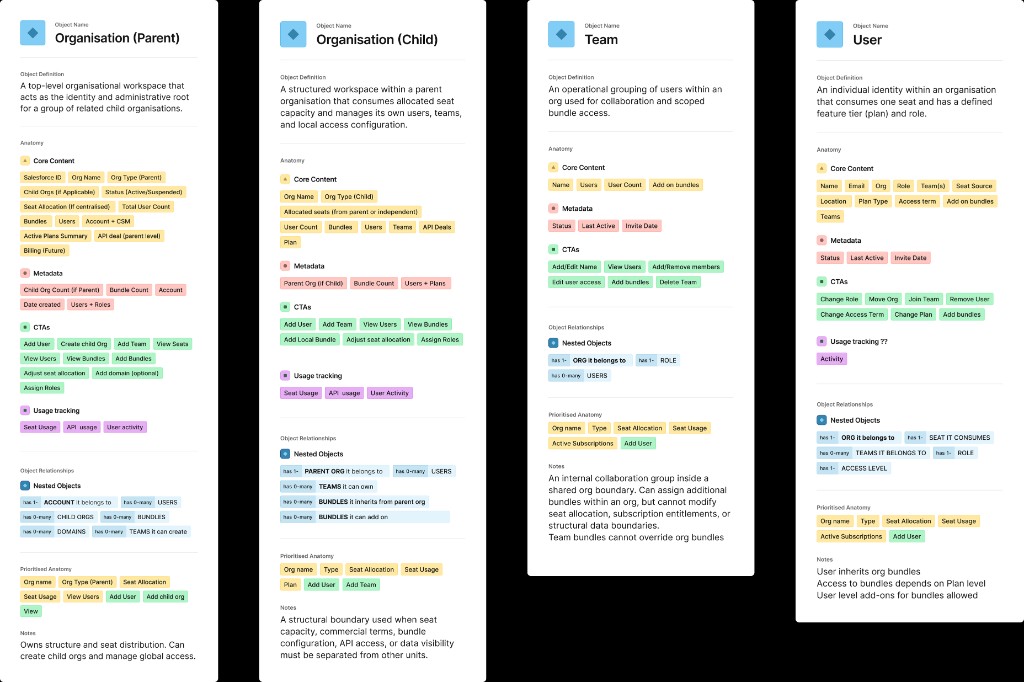
Before moving into interface design, I led cross-functional Object-Oriented UX workshops to define:

  • Core entities (users, organisations, access)
  • Relationships between systems
  • A scalable structure for self-serve

Aligning teams on how the system should work before deciding how it should look.

Proposed future object model: two-column grid of reusable object cards (UM Discovery) for Org, Account, User, Plan, Feature, Bundle, Role, AccessGrant, Seat Allocation, API Token, Domain, and related entities with category tags.

Object model or relationship sketch.

Direction

Imagining the future of admin

I used the outputs of our OOUX work to shape a future direction for what the admin platform could be: a coherent set of capabilities leadership and teams could align around before we moved into detailed interface design.

  • Parent–child hierarchy — a clear roll-up view of accounts
  • A way to view and manage seat capacity
  • An overview of users and access within organisations
  • A way to track subscriptions to spot opportunities for engagement and reduce churn

Future admin system

Pivot

Adapting to a faster path to Agentic Alpha

As discovery progressed, the business shifted focus towards launching an Agentic Alpha product within ~two months, including self-serve functionality.

It wasn’t feasible to resolve all foundational challenges in that timeframe.

Approach & MVP scope

Balancing long-term structure with short-term delivery

With a tight timeline, we couldn’t solve the underlying system challenges in full. Working closely with Product and Engineering, we focused on what could be delivered for Alpha, drawing a clear line between in-scope work and longer-term bets.

In scope

  • Self-serve for the new product
  • Role-based access
  • User access management
  • API / MCP usage and metering

Out of scope

  • Full system redesign
  • Enterprise-grade organisational modelling
  • Backend-heavy dependencies
Design

Shaping a practical, constrained experience

I mapped out end-to-end flows and edge cases so we could see how self-serve would behave in practice before locking the interface.

Self-serve flow diagram: Operation Octopus Expand · scroll sideways if needed
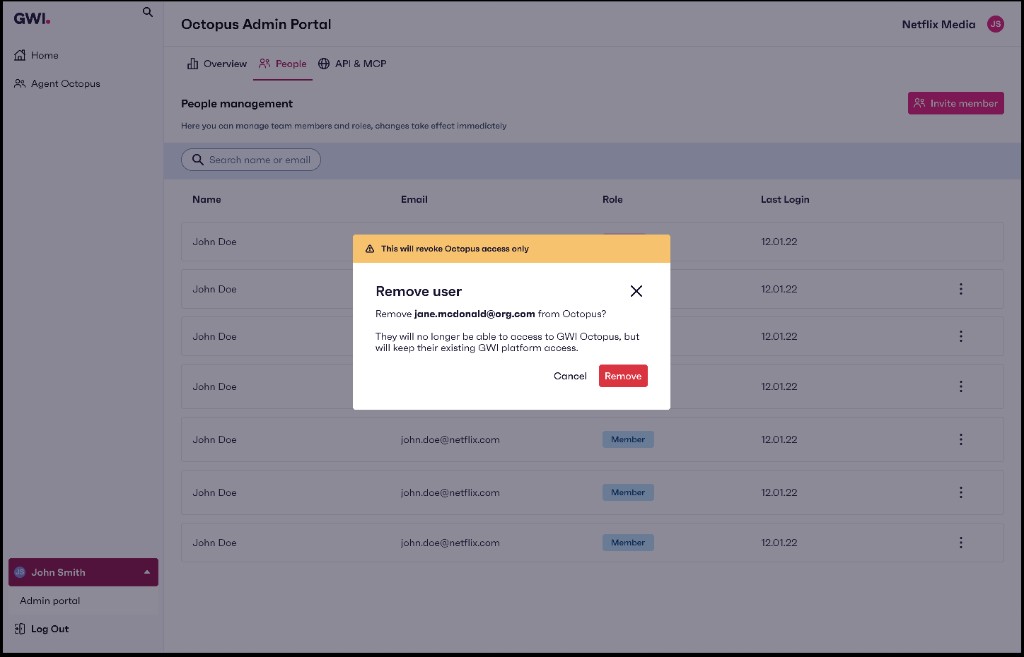
Self-serve brainstorm flow: removing users journey for Client Admin, from login through user management, confirmation, primary admin transfer, and success.

Operation Octopus · self-serve flows (scroll sideways to view full diagram).

Governance

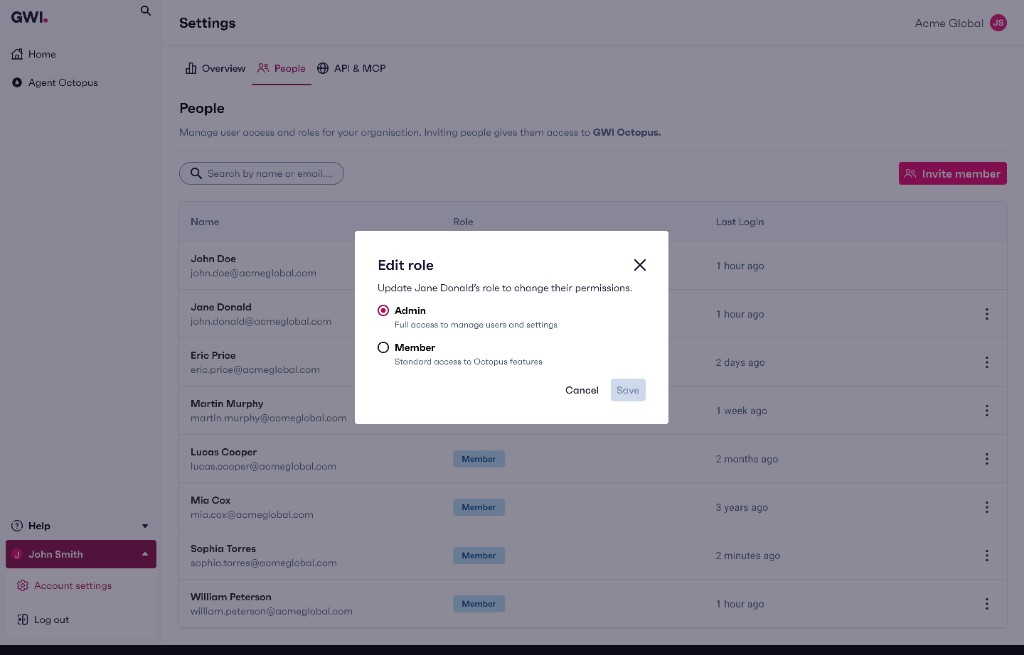
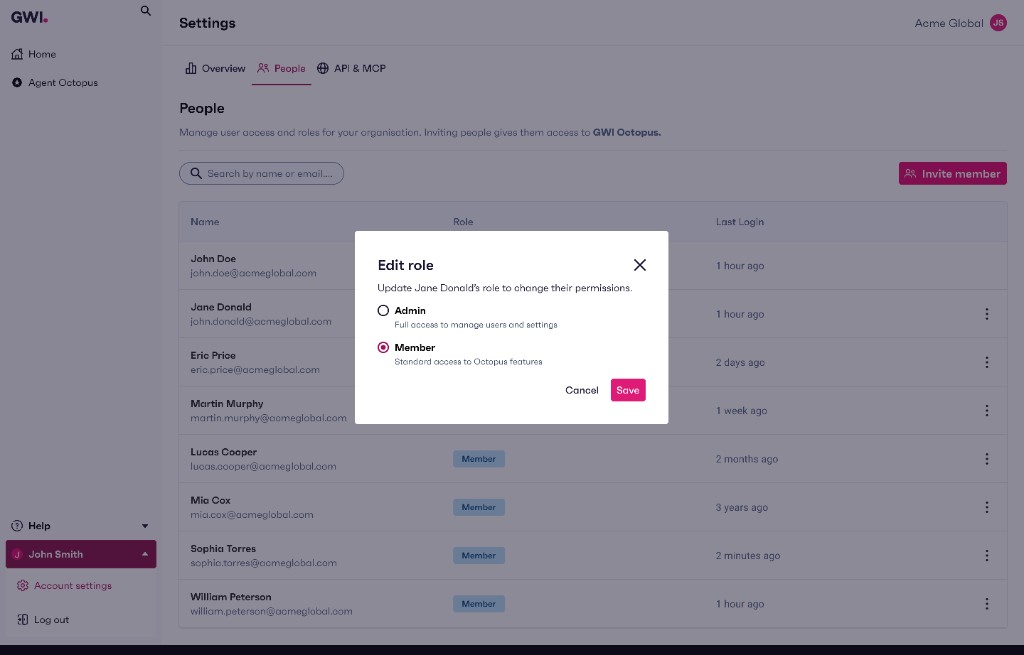
Thinking through admin role edits

Every organisation must keep at least one admin. I worked through individual and bulk role changes so validation, disabled actions, and error copy appeared before anyone could accidentally remove the last administrator.

Individual role change

Octopus Admin Portal: Change role modal for Marcus Webb with Make Admin and Make Member options; Continue action disabled when the change would leave no organisation admin.
Last-admin guard: primary action stays off until the user resolves the conflict.
Octopus Admin Portal: Change role modal with Make Member selected for Marcus Webb; Continue enabled when another admin will remain.
Safe path: switching to Member only when the org still has admin coverage.

Bulk role change

Octopus Admin Portal: bulk Change role modal for 49 selected users with counts of members and admins; Make all Admin or Make all Member cards and Continue.
Bulk edit: selection summary makes the admin mix explicit before a batch change.
Octopus Admin Portal: bulk Change role with Make all Member selected; inline validation that at least one organisation admin is required, with Continue disabled.
Validation surface: blocking state, clear instruction, and disabled continue until selection is fixed.
Iteration

Design iterations

Before / after snapshots from modelling and interface work, showing how artefacts tightened as constraints became clear.

Before Earlier Admin Portal People view: Overview, People, API & MCP, Settings tabs; table with User, Role, Status, Last Login, and per-row Change role plus Remove actions; Export and Invite member in the header.
People: status column and inline CTAs

Earlier pattern: a Status column plus inline Change role and Remove on every row, built as one-off table rows instead of a shared grid component. Busy, and hard to extend.

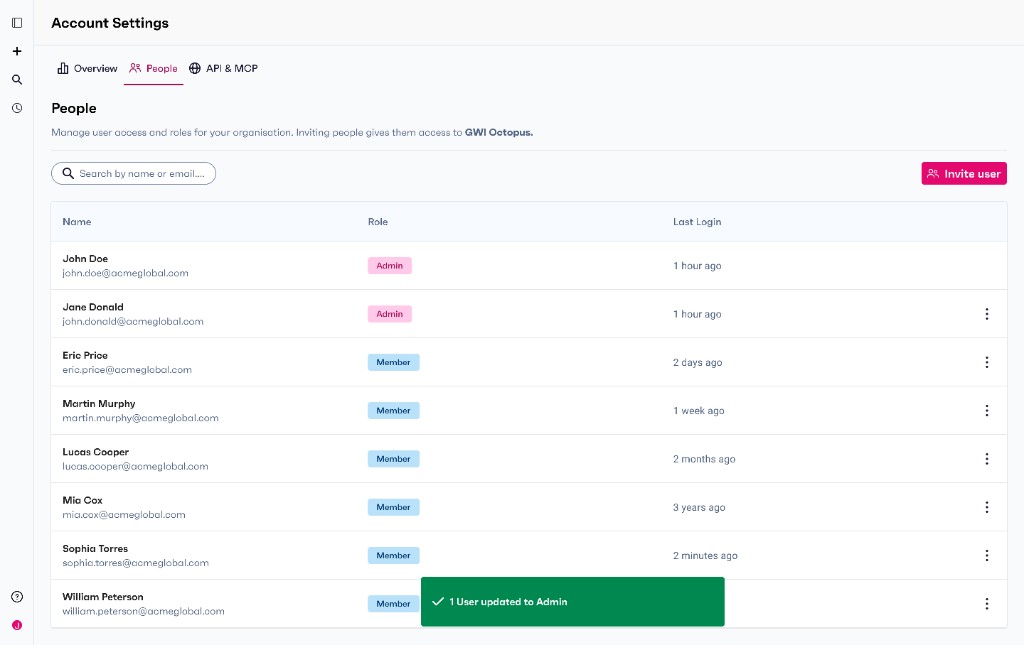
After People management: Invite member, search, and member table with Admin and Member role pills; sole Admin row without row actions menu compared with Member rows that include overflow menus and bulk selection checkboxes.
People: calmer grid, React Table

Removed Status once we agreed it was unclear and not feasible to own in the product. Moved CTAs into the row actions menu so the table stays scannable and sensitive changes carry a bit more friction. Under the hood: React Table for faster delivery and flexibility.

Before Earlier Admin Portal API & MCP tab: usage bar with percent consumed, calls used, remaining, and limit, reset date; masked API token and MCP OAuth fields with Copy actions.
API & MCP: usage and credentials together

One screen paired quota progress and reset timing with token copy blocks so admins could sanity-check consumption and grab secrets in a single stop.

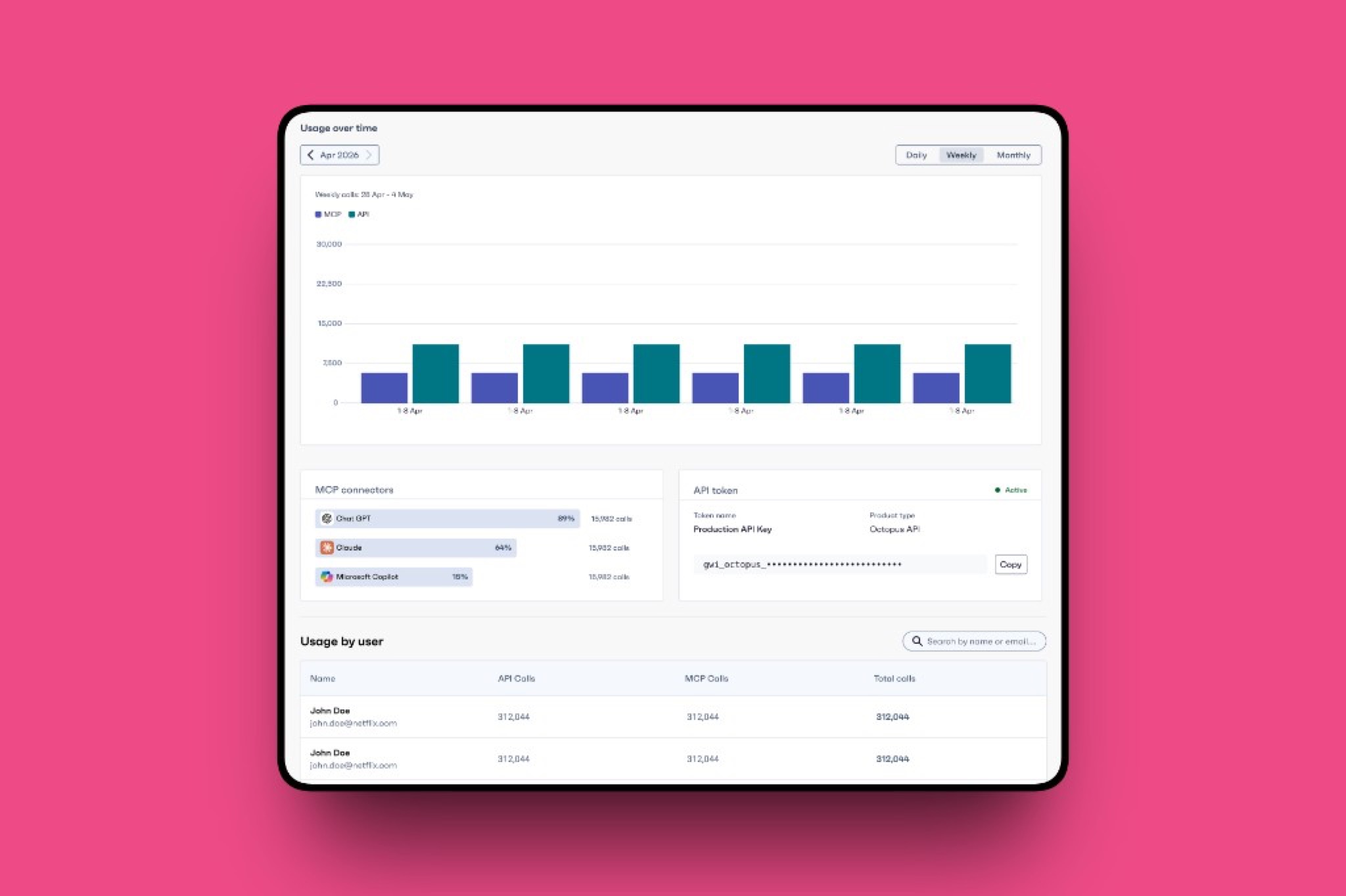
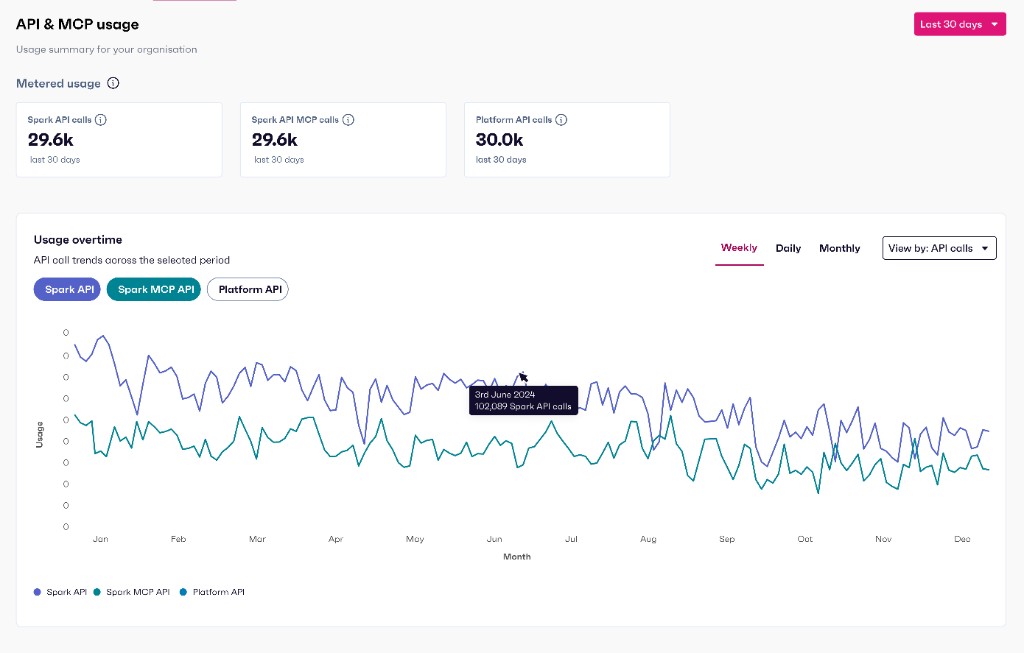
After Octopus Admin Portal API usage: KPI cards for total, API-only, and MCP-only call volumes; grouped bar chart of API versus MCP usage over time with Daily, Weekly, and Monthly controls; tooltip on API totals.
API & MCP: rollout metrics in staging

Shifted the top of the experience toward rollup KPIs and an API versus MCP timeline so leadership and admins see trajectory and split before diving into credential management.

Build

Working collaboratively from design to code

To accelerate delivery and alignment, we worked in a hands-on, collaborative build process with developers, shipping increments from the same vocabulary as design, rather than tossing specs over the wall.

How we operated

  • Tooling Cursor + Figma Make MCP
  • Source Shared repo
  • Rituals User stories refined together
  • Speed Prototyped directly in Cursor
  • Integration Pushed to a shared repository
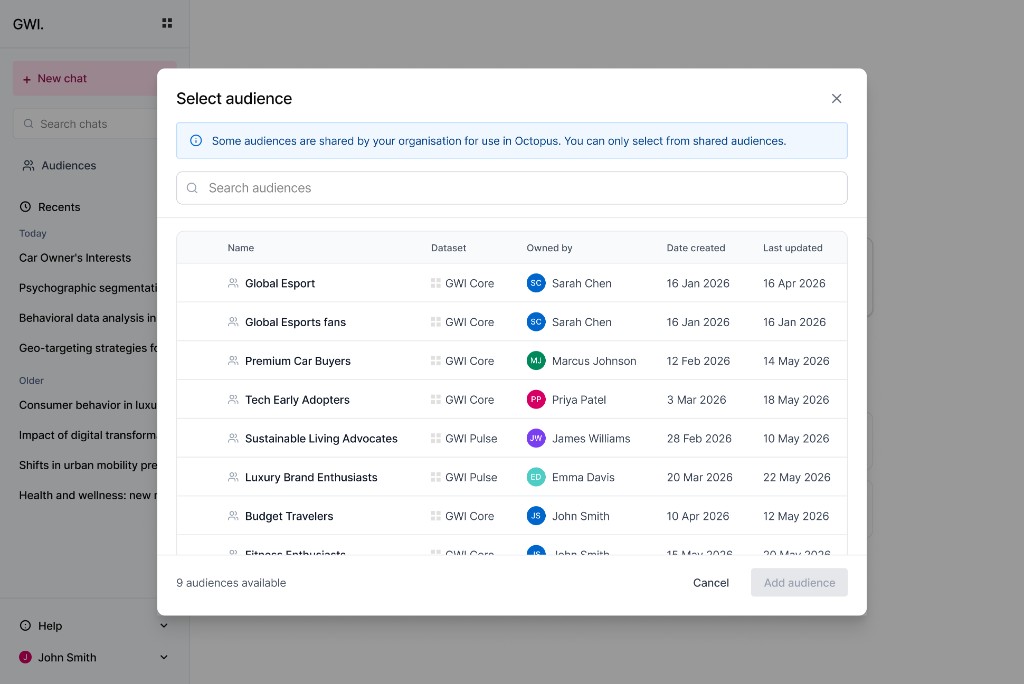
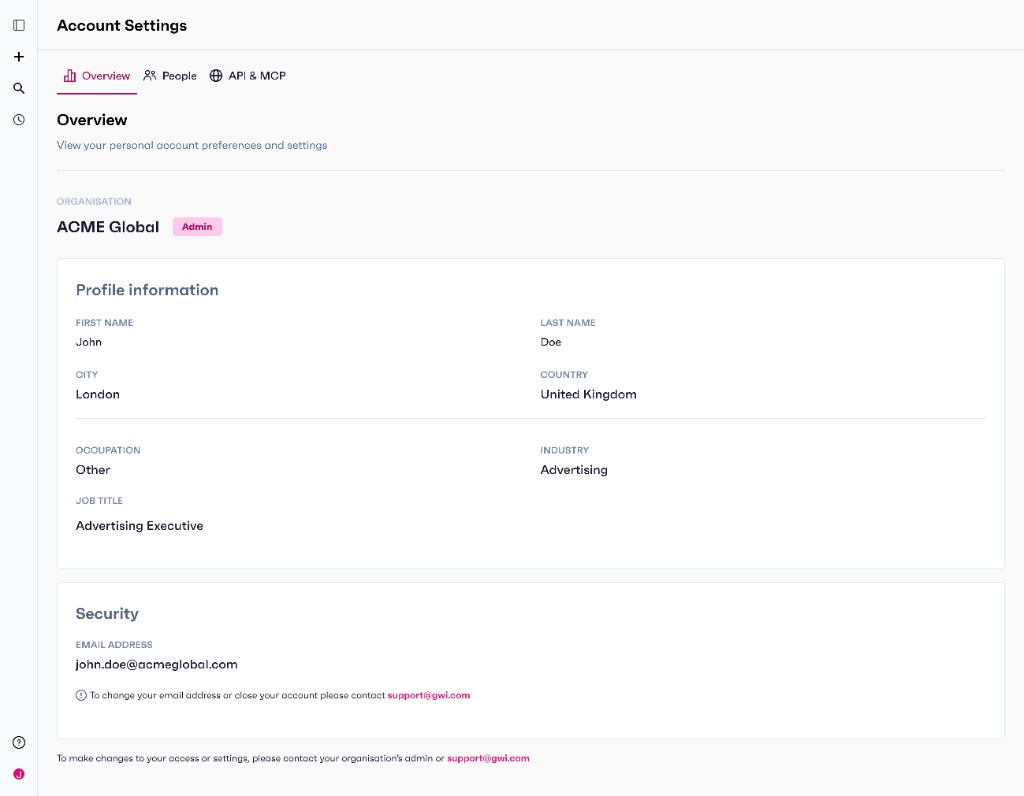
Prototype · Self-serve

Manage users (demo).

Prototype · API / metering

API metering (demo).

Using AI to move faster

AI tools were used to support speed and understanding:

  • Rovo AI (Atlassian) To uncover buried engineering decisions
  • Secoda AI To understand gaps between systems and business costs
  • ChatGPT Create an agent to store research artefacts and synthesise findings
  • Figma Make Quick ideation and concepts
  • Cursor To build prototypes with Figma MCP and push to repo

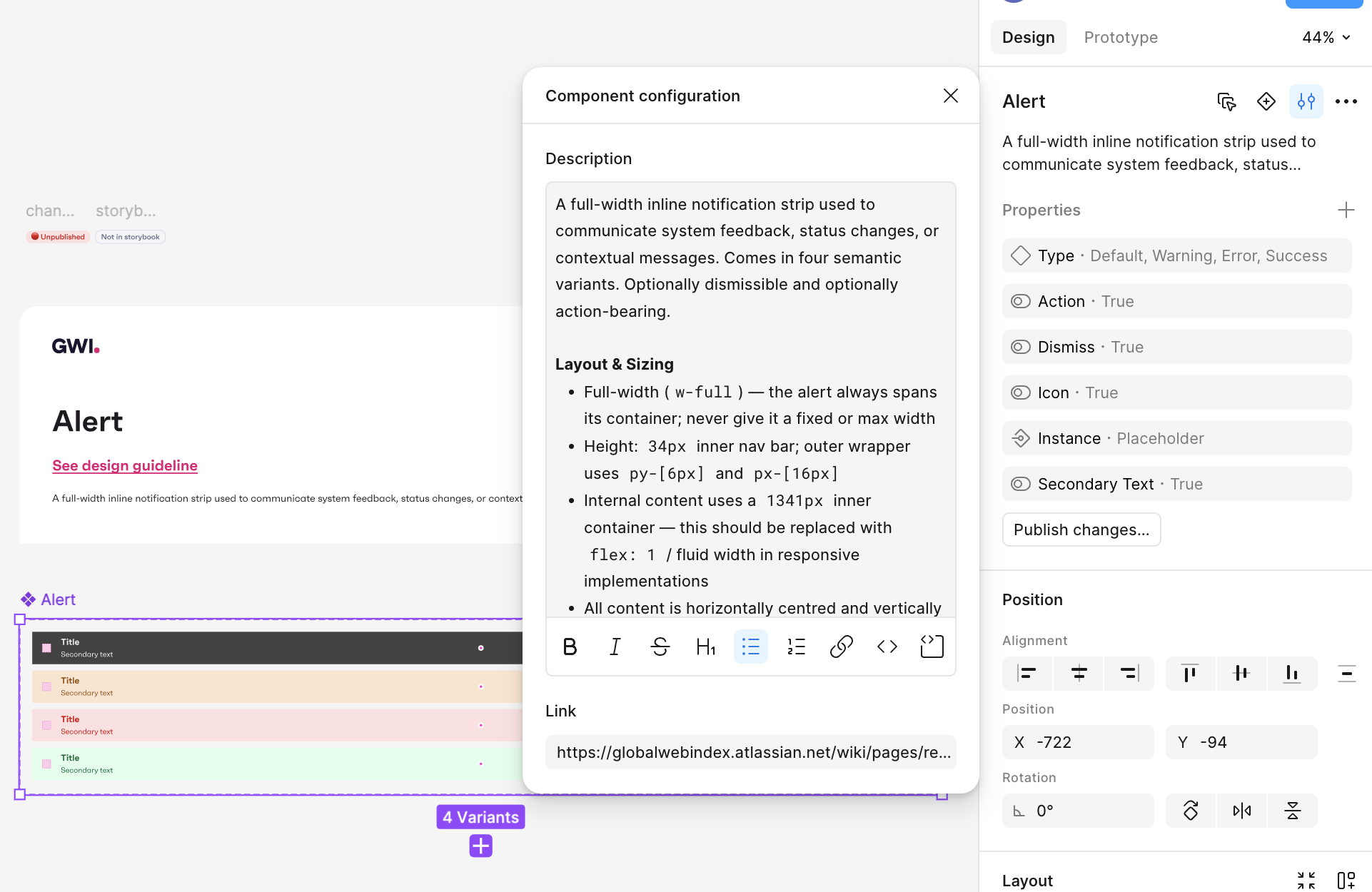
Alongside those tools, I developed a staging design system as the base for a future product-wide rollout, so we could move fast prototyping with AI while keeping tokens and components coherent enough to scale.

GWI design system in Figma: Alert component with Default, Warning, Error, and Success variants, layout specs, and property controls.
Staging Design System

Tokens · variants · components

Outcome

Establishing a foundation for scalable self-serve
  • Turned a fragmented system into a shared, actionable model
  • Shifted roadmap towards access and organisational structure
  • Assessed tools like WorkOS to balance speed vs flexibility
  • Established the foundations for scalable self-serve
  • Delivered a working prototype to bring the approach to life; Alpha work is ongoing
Reflection

Designing systems, not just interfaces

This project went beyond designing screens. It focused on:

  • Creating clarity in a complex system
  • Balancing long-term architecture with short-term delivery
  • Aligning teams with different priorities

The work is ongoing, but it established a strong foundation for scaling GWI’s platform.
More to explore.

Email copied to clipboard